


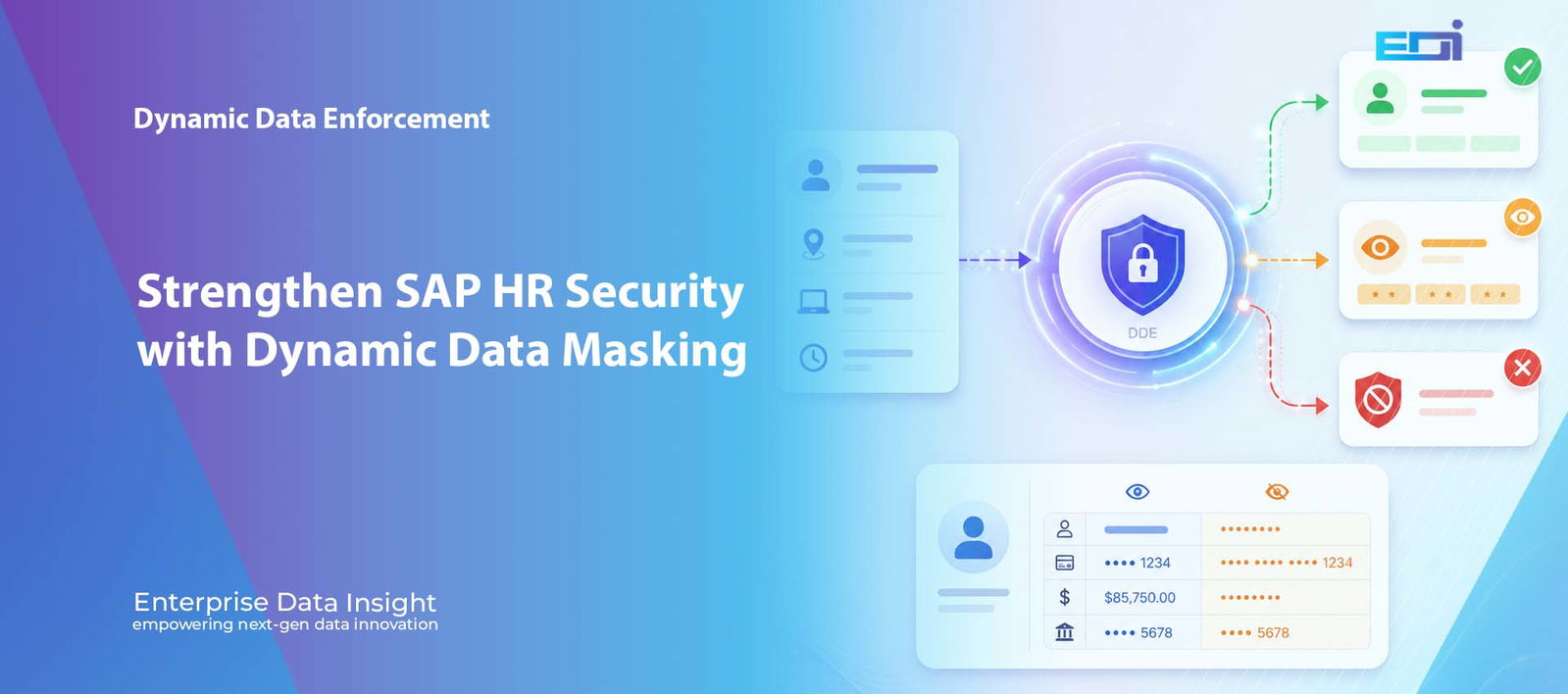
Strengthen SAP HR Securitywith Dynamic Data Masking

SAP HR Data Masking: Powerful Context-Aware Access Control with DDE
SAP HR data masking is becoming essential because SAP HR systems contain some of the most sensitive information in the enterprise: employee identities, salaries, bank details, addresses, absence records and national identifiers. Traditional roles decide who may open a transaction, but they do not always decide what each user should see in the exact context of that access. Dynamic Data Enforcement (DDE) adds a real-time policy layer that can allow, mask, restrict or deny access according to the user, role, location, device, time, transaction, field and business purpose.
The HR security question
Should every user with PA20 access see the same employee data, from every location, on every device and at every time of day?
One PA20 Request. Three Contexts. Three Different Outcomes.
Visitors can choose a scenario or let the story play automatically. This interactive SAP HR data masking experience updates the request context, DDE policy evaluation and returned HR data together without squeezing the experience into the article sidebar layout.
PA20 – Display HR Master Data
Policy Engine
Low
Authorised HR Data Is Displayed
The user, role, device, location and time satisfy policy. PA20 remains available and approved employee information can be viewed.
Why SAP HR Data Masking Needs More Than Static Roles
SAP roles remain essential. They determine which users can execute transactions and perform approved business activities. The challenge is that a role normally represents a broad entitlement. Once access is granted, the user may be able to see the same information regardless of where they connect from, which device they use, when they access the system or whether every sensitive field is required for the task. Effective SAP HR data masking adds the field-level precision that static roles cannot provide on their own.
HR data creates a particularly difficult security problem because legitimate access and unnecessary exposure can exist inside the same transaction. An HR administrator may need PA20 to confirm employment status or organisational assignment. That does not automatically mean the user should always see salary, bank details, national identifiers or every other protected field.
The key question is not only whether a user may open an SAP HR transaction. It is what that user should be allowed to see and do in the exact context of the request.
Why Valid Credentials Can Still Create HR Data Risk
Many sensitive HR incidents do not begin with an unknown attacker. They begin with a valid account, a legitimate transaction and access that is broader than the immediate business need. A user may be correctly authorised for PA20 while still accessing employee records from an unusual location, an unmanaged device, outside normal working hours or beyond the employee population assigned to that role.
DDE distinguishes valid identity from safe access
A successful login confirms who the user claims to be. It does not automatically prove that every requested field, employee record and access condition is appropriate. Context-aware SAP HR data masking closes that gap.
The Limits of Traditional Access Control
Traditional access control is designed around users, roles, authorisations and transactions. This works well for deciding whether a person may enter PA20, PA30 or another HR process. It is less precise when the organisation needs a different decision for individual fields, changing risk conditions or temporary business circumstances.
- A user may require the transaction but not every sensitive field displayed within it.
- The same access may be acceptable from a managed office network but higher risk from an unmanaged remote device.
- Normal working-hours access may be legitimate while unusual after-hours access requires stronger control.
- A payroll specialist may need salary and bank data while another HR role needs only organisational information.
- A support user may need temporary troubleshooting access without unrestricted employee PII.
What SAP HR Data Masking with DDE Looks Like
DDE adds a policy decision before sensitive data is presented or a protected action is completed. SAP HR data masking with DDE can combine identity, role, transaction, location, device, time, session behaviour, organisational scope, field value and business purpose. It then applies the appropriate response in real time.
Context evaluated by DDE
- user identity, role and group
- SAP transaction and process area
- office, country or remote location
- managed or unmanaged device
- working hours and session behaviour
- employee group or organisational unit
- requested field and business purpose
Policy actions available
- show the complete value
- partially or fully mask the value
- block or lock a protected field
- restrict a transaction or action
- cap or rate-limit sensitive activity
- generate an enriched security event
- deny the request when conditions fail
The DDE control and evidence layer connects three dimensions
HR Use Case: PA20 – Display HR Master Data
PA20 is a useful example because several HR and support roles may require the transaction, while the sensitivity of the displayed information varies significantly. SAP HR data masking allows the transaction to remain available while individual fields are protected according to the live business context.
| Access scenario | Context evaluated | DDE decision | User experience |
|---|---|---|---|
| HR user in an approved office | Approved role, managed device, trusted network and normal working hours. | Allow authorised access. | PA20 displays the HR fields required by the user’s role. |
| Same user working remotely | Approved identity and role, but a different location or higher-risk device context. | Mask protected PII fields. | The transaction continues, but salary, bank or identifier fields are hidden or partially masked. |
| After-hours request | The user is valid, but the request falls outside the approved time-based policy. | Deny or require stronger approval. | The sensitive transaction or field is blocked and the decision is recorded. |
| Temporary support access | Support role, approved incident, limited duration and specific employee scope. | Allow the minimum required fields. | Troubleshooting continues without exposing unrelated employee information. |
Mask, Block or Deny: Choosing the Right Control
Security is most effective when it is proportionate. Denying every higher-risk request can interrupt legitimate work, while allowing every authorised user to see complete values creates unnecessary exposure. DDE supports graduated control so the response matches the risk.
- Mask: keep the transaction available while hiding all or part of a sensitive value.
- Block: prevent a protected field from being viewed or changed while the wider process continues.
- Lock: stop a sensitive action when a business or risk condition is not satisfied.
- Deny: refuse the complete transaction or request when policy prohibits access.
- Allow: show the required data when the user, purpose and context are trusted.
Why SAP HR Data Masking Matters in Production
Static data masking is valuable in non-production environments, but production HR security requires a different capability. Source data must remain accurate for payroll, benefits, reporting and statutory processing. The control therefore needs to change what the user sees without changing the underlying record.
Dynamic masking provides that separation. The complete value remains available to the SAP process, while the displayed value is controlled according to policy. This reduces exposure without duplicate data stores, permanent transformation or a redesign of every screen.
Access Control Aligned to Business Context
The strongest HR policies are not based on identity alone. SAP HR data masking should consider why data is being accessed, whether the requested information is required for the task and whether the surrounding conditions increase risk.
- Role context: payroll, HR operations, recruitment, support and management may require different fields.
- Location context: trusted office access may receive a different result from remote or cross-border access.
- Device context: managed corporate endpoints may receive broader access than unmanaged devices.
- Time context: sensitive transactions may be restricted outside approved operational windows.
- Organisational context: access can be limited to the employee population, company code or region assigned to the user.
- Behaviour context: unusual volumes, repeated searches or abnormal sessions can trigger stronger protection.
From Access Decision to Audit Evidence
A modern HR control should do more than mask a field. SAP HR data masking should also explain why the decision was made. DDE can connect the user, role, transaction, protected field, location, device, time, policy result and access outcome in one evidence layer.
Instead of a transaction log showing only who opened PA20, investigators can understand the complete business context and whether policy allowed, masked, blocked or denied the request.
A Practical Implementation Model
SAP HR data masking should begin with a focused scope rather than attempting to control every field immediately. A practical first phase identifies the most sensitive HR data, the transactions in which it appears and the user groups creating the greatest exposure.
- Discover sensitive fields: salary, bank details, national identifiers, addresses and dates of birth.
- Map access paths: transactions, tables, reports and queries that display or process those values.
- Define context: roles, locations, devices, times and organisational scopes that change the outcome.
- Select the control: allow, mask, block, lock or deny according to business need.
- Test the user experience: confirm legitimate HR processes continue without unnecessary interruption.
- Enable evidence: record policy decisions for monitoring, audit and investigation.
The Business Value of Context-Aware HR Security
Where DDE creates measurable value for SAP HR
SAP HR data masking creates value by reducing unnecessary exposure while preserving productive access to approved HR processes.
The future of SAP HR security is not one role producing one fixed result. It is one governed policy producing the right result for each user, field and business context.
Frequently Asked Questions
Does DDE replace SAP roles and authorisations?
No. SAP roles remain the foundation for transaction and process access. DDE adds a dynamic control layer for more precise field, context and business-rule decisions.
Does dynamic masking change the HR data stored in SAP?
No. The underlying value remains unchanged. DDE controls how the value is displayed or accessed at runtime according to policy.
Can the same user receive different results in PA20?
Yes. A user may receive full access from an approved office, masked access from a remote location and denied access outside an approved time window.
Can DDE protect individual HR fields?
Yes. Policies can be applied to salary, bank information, national identifiers, addresses and other employee PII.
Can access decisions be logged for audit?
Yes. DDE can record the user, role, transaction, field, access context, policy decision and outcome.
Conclusion
SAP HR data masking requires more than deciding who can open a transaction. Organisations need to control which fields are visible, under which conditions and for which business purpose. Static roles alone cannot always provide that precision.
Dynamic Data Enforcement adds real-time masking and context-aware access control directly to the SAP user experience. The same PA20 transaction can provide full access to a trusted HR user, masked access to a remote user and denied access when the request falls outside approved policy.
The result is stronger SAP HR data masking, lower exposure, better audit evidence and a balanced security model that protects sensitive information without unnecessarily interrupting the business.
Explore Dynamic Data Enforcement or contact Enterprise Data Insight to discuss context-aware SAP HR data protection.